Install glances and keep it running for showing gethomepage.dev system stats
Install glances and keep it running for showing gethomepage.dev system stats
Section titled “Install glances and keep it running for showing gethomepage.dev system stats”This guide makes the glances application run in the background on every reboot and provide the necessary metrics for homepage.
Install pip:
sudo apt install python3-pipInstall glances with pip for this user:
pip install --user 'glances[web]'Re-source the .profile so the glances executable is available in the current environment:
source ~/.profileUpdate the crontab to run glances at startup without web UI but able to share system metrics (no web UI to make it more efficient):
# this goes in crontab@reboot /home/ismael/.local/bin/glances -w --disable-webuiAfter a reboot, glances runs automatically on every boot. Works well in an LXC container.
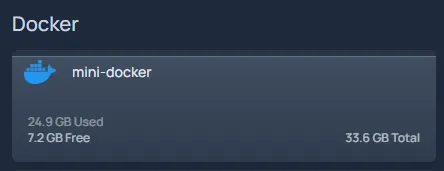
Create the services.yaml entry for gethomepage.dev to show server root usage stats:
???+ note Several strings in this YAML need customization. See https://gethomepage.dev/widgets/services/glances/ for the specifics on the Glances widget.
...- Docker: - mini-docker: icon: docker.png widgets: - type: glances url: http://<IP of server>:61208 version: 4 # main version of glances used metric: fs:/ # showing root usage...The result should look like this: